










发消息、上传文件、打开文件夹或创建定时任务...
GPT-5.6-Sol⌄
完全访问⌄
 Your AI research workspace for evidence-backed science
发消息、上传文件、打开文件夹或创建定时任务...
 医学循证报告
可审查
医学循证报告
可审查
安全路径很短:疑似或确诊过敏性休克时,应及时使用肾上腺素,不要等待抗组胺药或激素起效。
回答、证据锚点、来源笔记、假设和审查提醒会附着在同一项目记录里。
 科学报告
Artifact report
科学报告
Artifact report
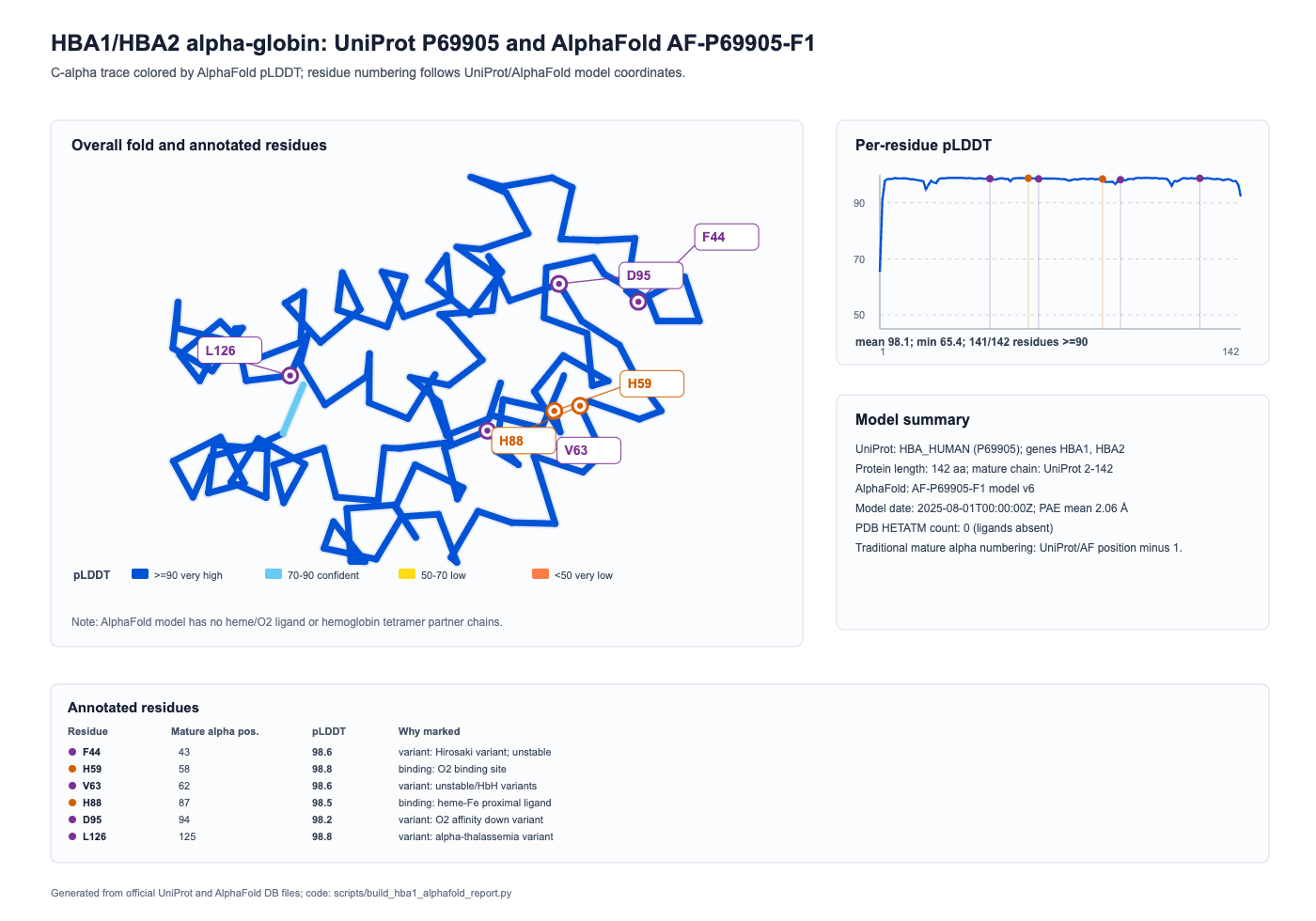
HBA1 对应 UniProt reviewed 记录 P69905 / HBA_HUMAN
AlphaFold 对应 AF-P69905-F1 model v6,覆盖 UniProt 1-142 位单体预测结构。
 实验对照
Reviewable provenance
实验对照
Reviewable provenance
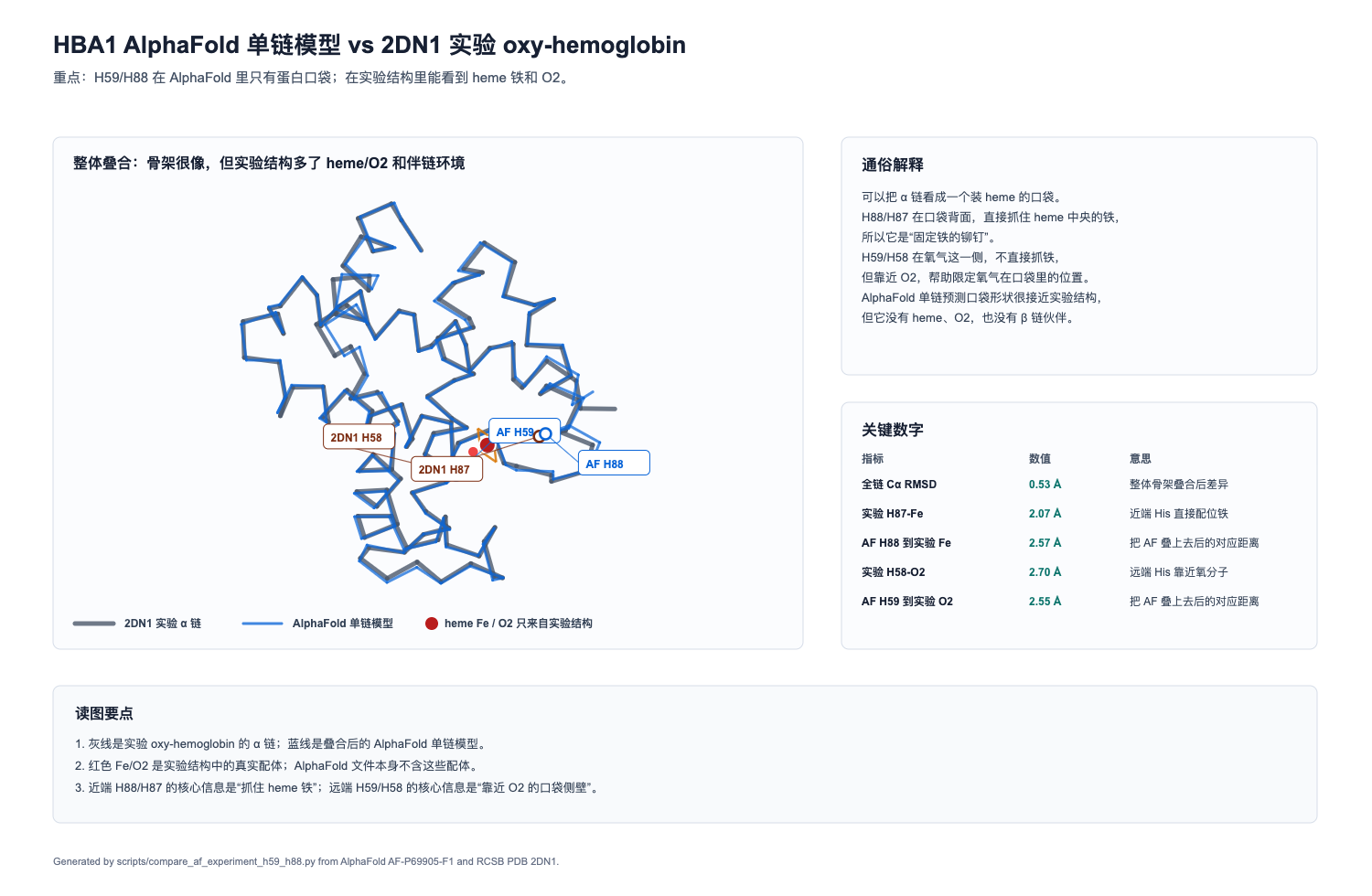
AlphaFold 单链模型能快速看 α 链口袋形状;实验结构 2DN1 能直接看到 heme、O2 与 H59/H88 对应位点。
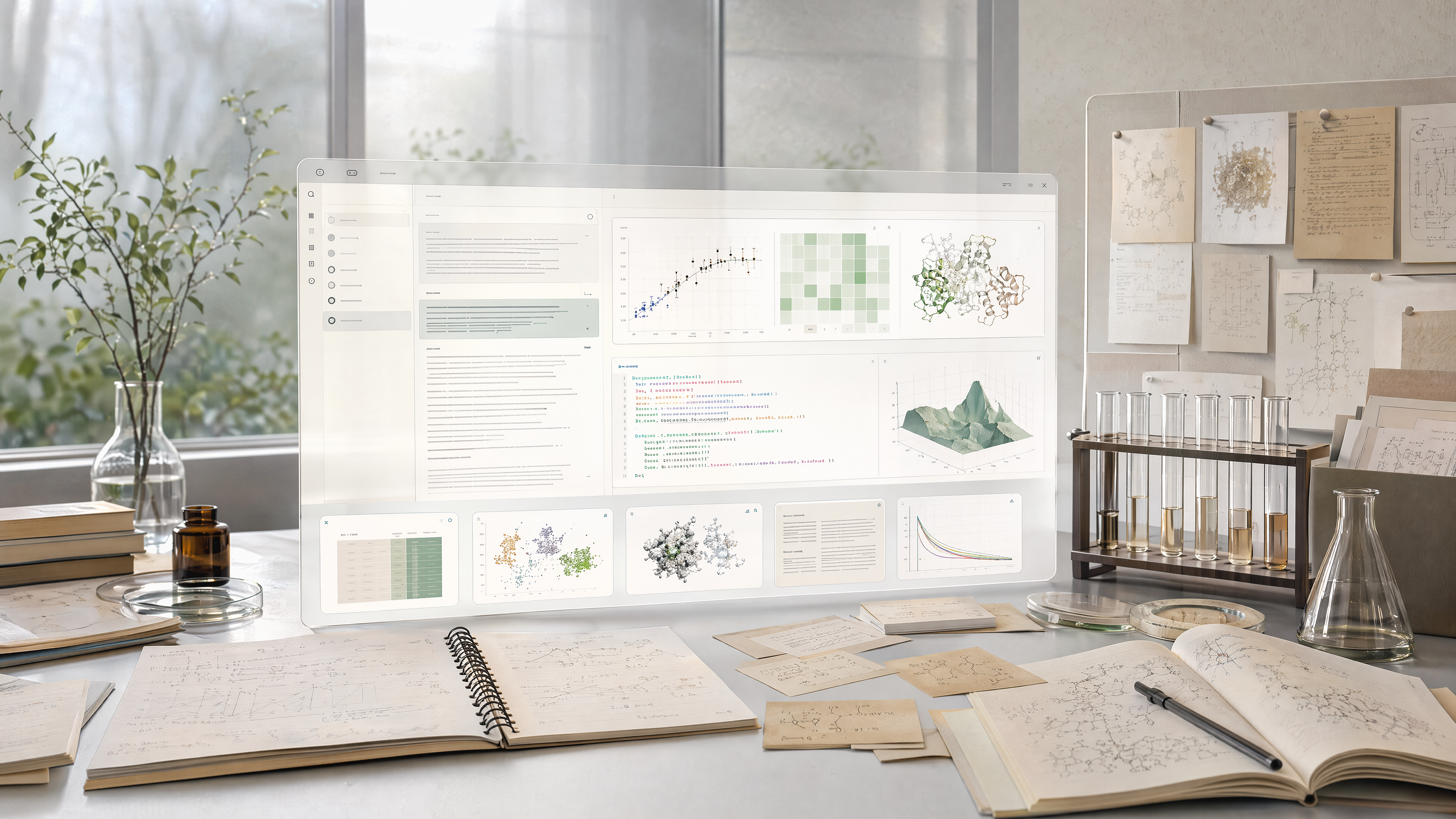
Read files, run analyses, and keep the work on your own computer.
Use your own models, keep your own files, and start from a desktop workspace.
350+ research skills cover life science, chemistry, engineering, data science, and causal inference.
Reports, figures, notebooks, and manuscripts keep the evidence and decisions behind them.
EVIDENCE COVERAGE
Search sources, open references, cite passages, and keep each claim connected to the material that supports it.
 11M+
papers
searchable, readable, citable, traceable
11M+
papers
searchable, readable, citable, traceable
 225K+
regulatory documents
searchable, readable, citable, traceable
225K+
regulatory documents
searchable, readable, citable, traceable
 1M+
clinical trials
searchable, readable, citable, traceable
1M+
clinical trials
searchable, readable, citable, traceable
 150M+
research abstracts
searchable, readable, citable, traceable
150M+
research abstracts
searchable, readable, citable, traceable
EVIDENCE-BACKED SCIENCE
Not a single answer. A durable research record: evidence, code, figures, notebooks, manuscripts, and every step that produced them.
SCIENCE MODE
10+ research domains and 350+ default skills across life sciences, drug discovery, engineering computation, data science, and social research.
Life sciences
Genomics · single-cell · multi-omics
Chemistry & drug discovery
Molecules · proteins · evidence
 Engineering computation
Materials · physics · simulations
Engineering computation
Materials · physics · simulations
 Data science
Statistics · econometrics · causal inference
Data science
Statistics · econometrics · causal inference
 Policy & social research
Surveys · qualitative study · reports
Policy & social research
Surveys · qualitative study · reports
 Artifact record
Run · trace · reproduce
Artifact record
Run · trace · reproduce
WORKSPACE MOTION
A research request becomes a living project, not a loose chat transcript.
 01
01
DeepScientist connects source passages, local files, code execution, and figure output inside one project.
Query
cross-species single-cell RNA-seq integration
Sources opened · key passages attached · claim anchors saved
Notebook
load matrix → fit model → export figure
02
Data, evidence, code, figures, notes, and manuscript drafts stay together so the project can continue later.

PROJECT EXAMPLES
From evidence to code, from figures to manuscripts, the whole project stays traceable.
CAPABILITY STACK
Evidence, code, figures, notes, and manuscripts stay in one project record.
DOWNLOAD
Choose your system. The desktop app checks for updates automatically.

Apple Silicon 与 Intel Mac
x64 与 ARM64 安装包
DEB / RPM / AppImage
FAQ
Download the package for your system from GitHub Releases, install it, then open DeepScientist. macOS uses the DMG, Windows uses the installer, and Debian / Ubuntu can run sudo apt install ./DeepScientist-*.deb. If a package is not available yet, run it from source with bun install --frozen-lockfile and bun run start.
No. It is a desktop research workspace around your model, files, tools, and results.
Yes. Windows is supported, and the Windows installer will be linked here with the same update flow.
Yes. DeepScientist is free and open source. You can connect the model provider you already use.
Project files, analysis records, and artifacts stay in your local workspace by default. Content is sent out only when you connect an external model or collaboration service.
No. It supports life science, chemistry, drug discovery, engineering computation, data science, social science, policy research, econometrics, and causal inference.
DeepScientist is fully open source, works with different model providers, includes medical evidence mode, knowledge deposition, broader research modes, and keeps every result as a reviewable project record.
Yes. It can read project files, run analysis, and keep outputs connected to the data and code that produced them.
A result keeps the evidence, code, notes, and changes behind it, so you can reopen it later and check where it came from.
Yes. DeepScientist can run on your own computer or private network, with local files, internal data, and private model endpoints.
No. DeepScientist does not use your project ideas, files, or paper drafts to train models. External model providers follow the terms you choose.
Your DeepScientist projects stay on your machine. If an external model account changes, you can switch to another API, local model, or supported subscription without losing the research record.
Yes. You can connect your own API keys, private endpoints, local models, or supported AI subscription tools, depending on your lab setup.
It can search evidence, read files, run code, make figures and tables, draft reports, prepare manuscripts, and keep each output tied to its sources.
UPDATE FEED
这些 metadata 供客户端自动检查版本;绿色表示该平台已有可用更新源。
